

1 node configuration:
During setup of the first pod, i found out that the minimum config is exactly that, minimum. If your Holodeck host is configured 60+ cores, 1,5TB memory, and 12TB SSDdisk, no problem, but if not, what then?
Mgmt cluster w/Aria:
You have a pod ready to go, installed almost all the Aria products, Loginsight, Lifecycle manager, Identity manager, Operations manager and also Aria Automation. Only missing Network Insight.
Support vm`s and TKG:
You deploy some ubuntu support vm`s for lab and testing according to the Holo guide, and also enable a Tanzu Kubernets Cluster.
Workload cluster:
If you now at this point want to deploy a 3-node workload cluster from SDDC manager, you are probably pretty close to maxing out the resources in your esxi server. The SDDC manager deploys a new vcenter, esxi`s for a vsan cluster, 3 NSX managers and an NSX Edge cluster containing 2 nodes, a supervisor cluster with 3 nodes, so yes, it will use some resources. You might decomission 2 NSX managers to free up some resources, but only after a successful deployment.
Additional vm`s:
If you now want to install or test something on top of what i just mentioned, it could be slow. So if you can,go for the recommended config.The Holo doc`s says 32cores, 1TB memory and 7TB SSD disk. And recommended config, is in my opinion 30+ cores, 512-756GB memory and 6-8TB ssd disk. Then you have more room for testing. I am not saying it will not work, just that you might experience latency in some cases if you want to try and enable all the SW and functionality.But it will work, no problem.
“One of” my mistakes was deploying a workload cluster with the wrong disk parity, i used 1 instead of 0, so i overcommitted disk, and had to redeploy the Holodeck VCF build. The cloudbuilder got corrupt because i used more disk in the nested environment, than i had available in the physical host. Makes sense, really. And freeing up space didn’t help, the damage was done. I knew it took 3 hours to redeploy, but the troubleshooting, who knows?
2-node configuration:
So to the initial idea, the 2-node config. If you dont have the upgrade possibility, but maybe another host just like the first one, you could set it up with basic config, meaning VVS and portgroup for Holosite1. This virtual switch is originally not connected to any physical port by design in the Holo config.

But…., you can do a direct connect between them, and by doing so, extending the network to a secondary host with unused resources.
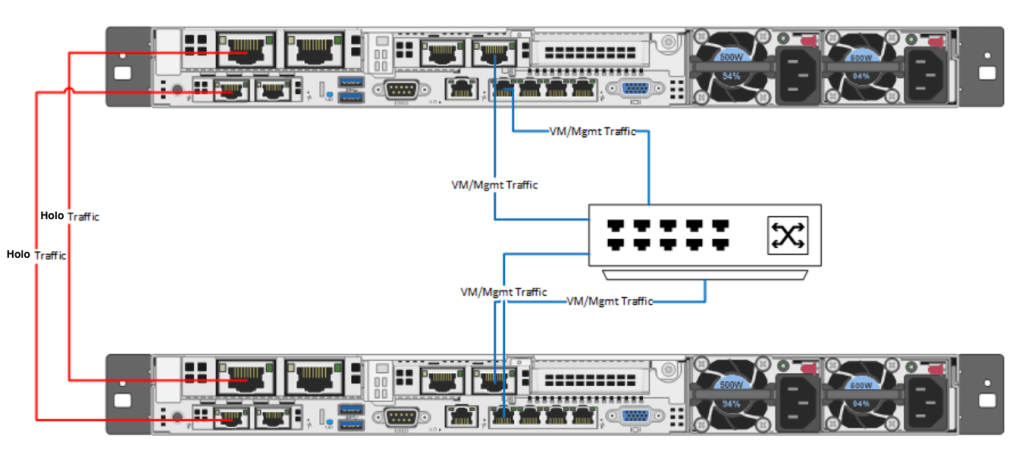
You will then need to map the physical ports to the Holodeck VVS called VLC-A or VLC-A2, depending on how you want to extend the resources. If you extend within your first pod to scale out with an extra Tanzu cluster or workload cluster, you use VLC-A, and if you want to setup a secondary pod, you use VLC-A2.
The direct connect physical nic`s should be 10Gb or higher to avoid any bottleneck when you extend the network. Using a Intel X520 10Gb SFP+ with a DAC cable was my choice for testing this, but it could be anything 10Gb->, supported by VMware/ESXi.
The last scenario was actually connecting to a 10Gb switch using 3 servers, defining trunk ports on each side with 4095 on the VMware side of things and “allow vlan all” setting in your physical switch. This way you can extend with a workload cluster or Tanzu on secondary server using VVS(VMware Virtual Switch) VLC-A , and deploying a secondary pod on the third server to VLC-A2.
Now you are ready to test:
HCX ( Hybrid Cloud Extension):

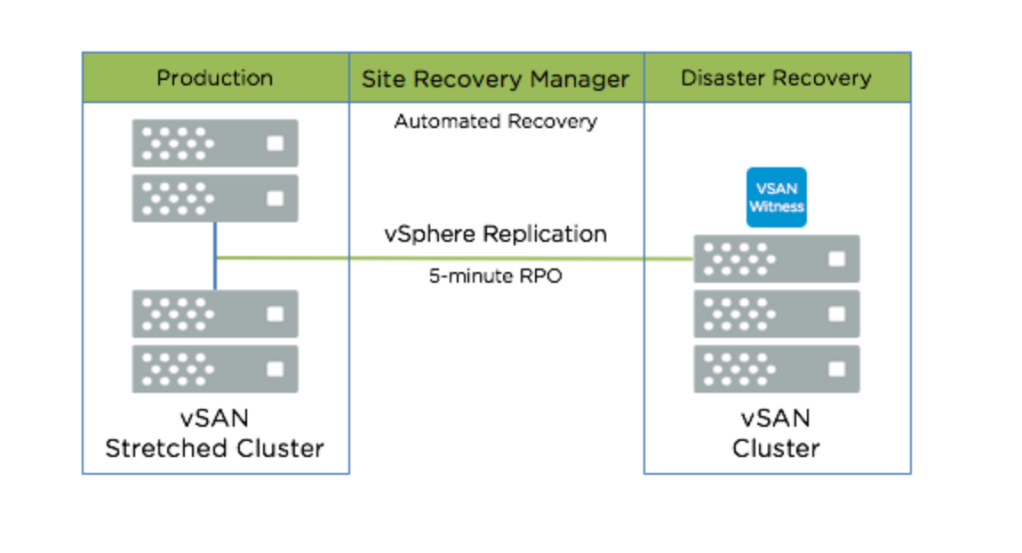
SRM (Site Recovery Manager):
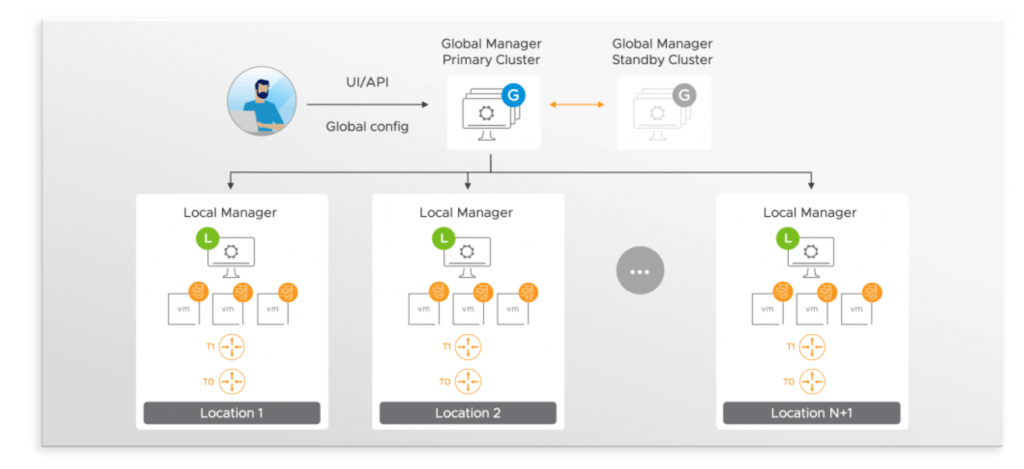
Multisite NSX with federation:


 Bervid.net
Leave a comment