
Installing vcenter without DNS & NTP
I recently had to install an offline install of vCenter, and this could give you some grey hair if you don`t configure this the way vCenter want`s to.
After downloading the iso file you mount it and browse to the setup.exe file in the vcsa-ui-installer
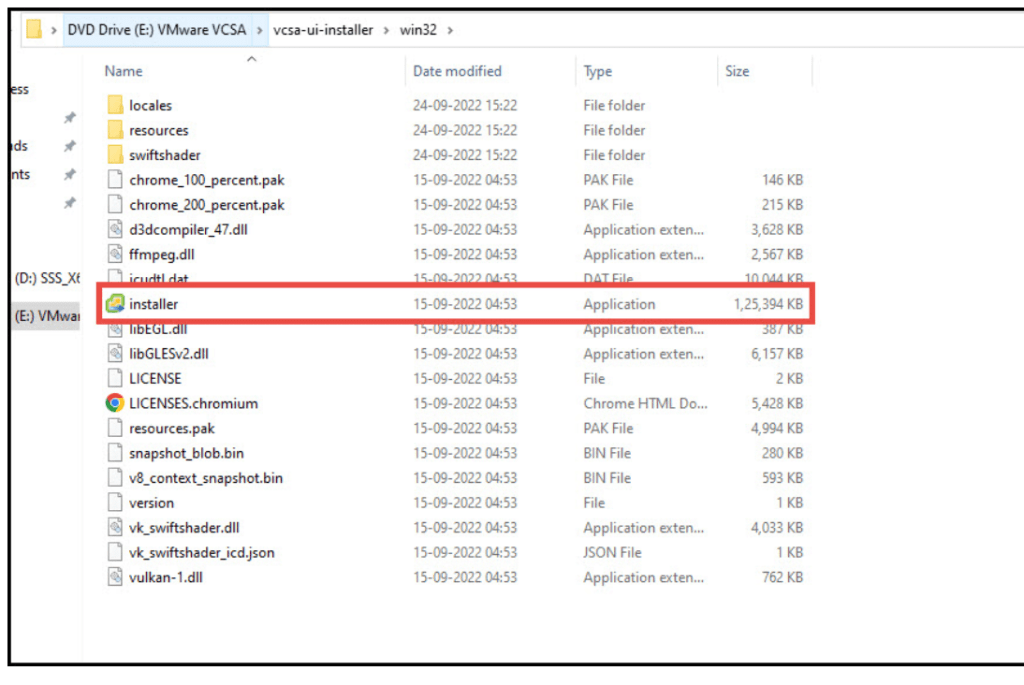
You choose a basic install:
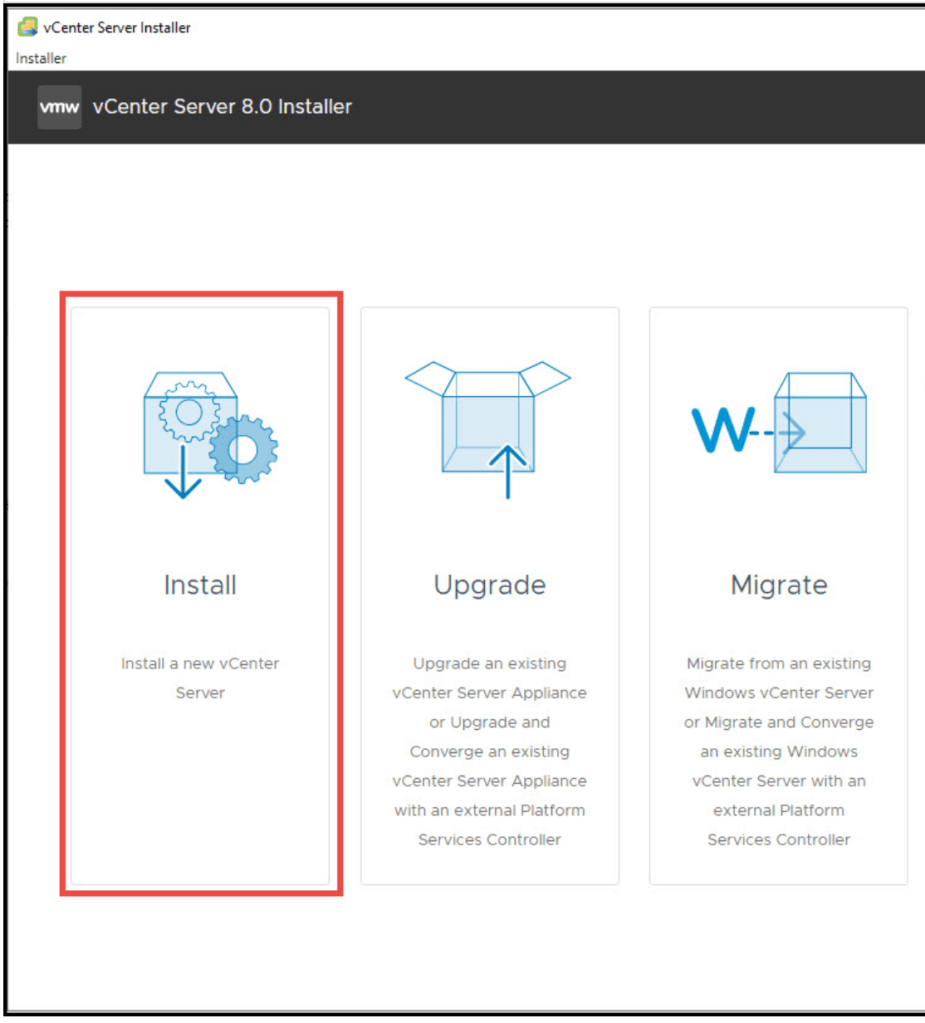
Go through basic setup until:
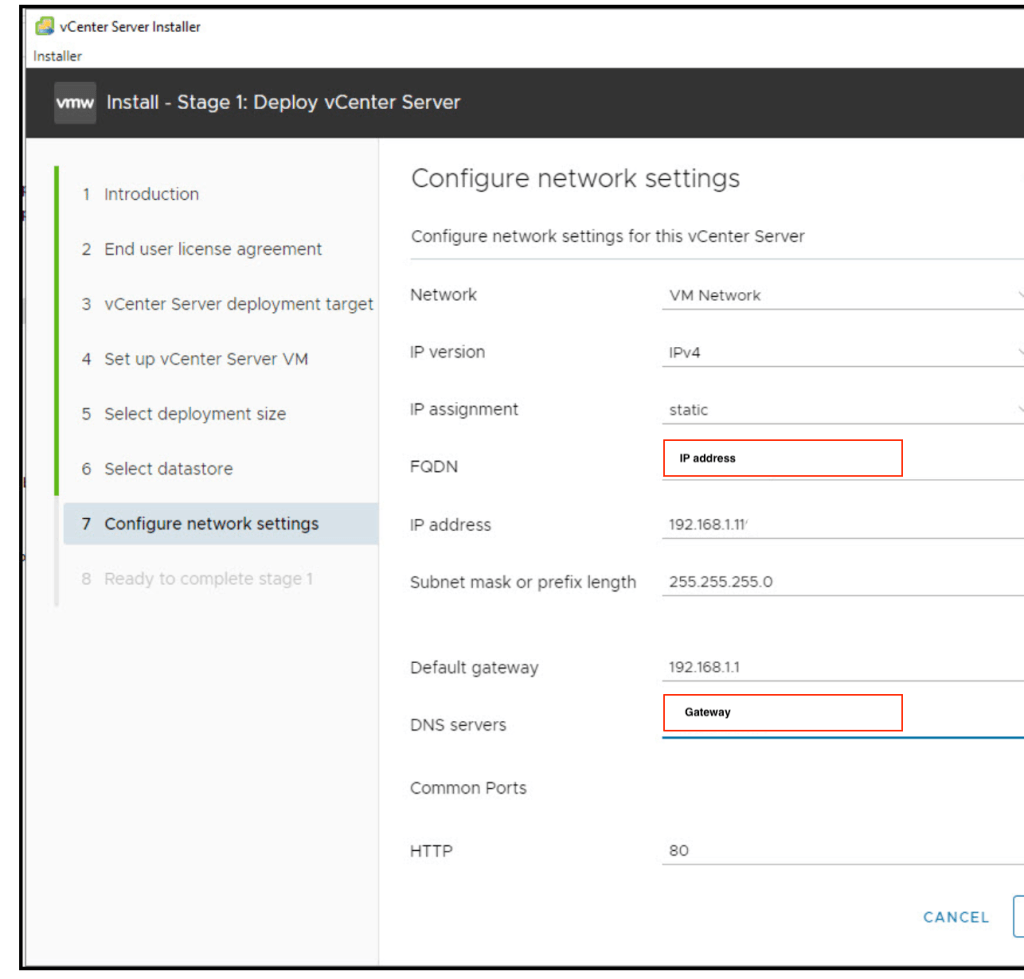
In the Network setup, you have 2 specific settings that needs to change.
- the FQDN needs to be IP address
- The DNS server does not accept 127.0.0.1, so use your gateway
When the first setup phase is done you are asked for NTP.
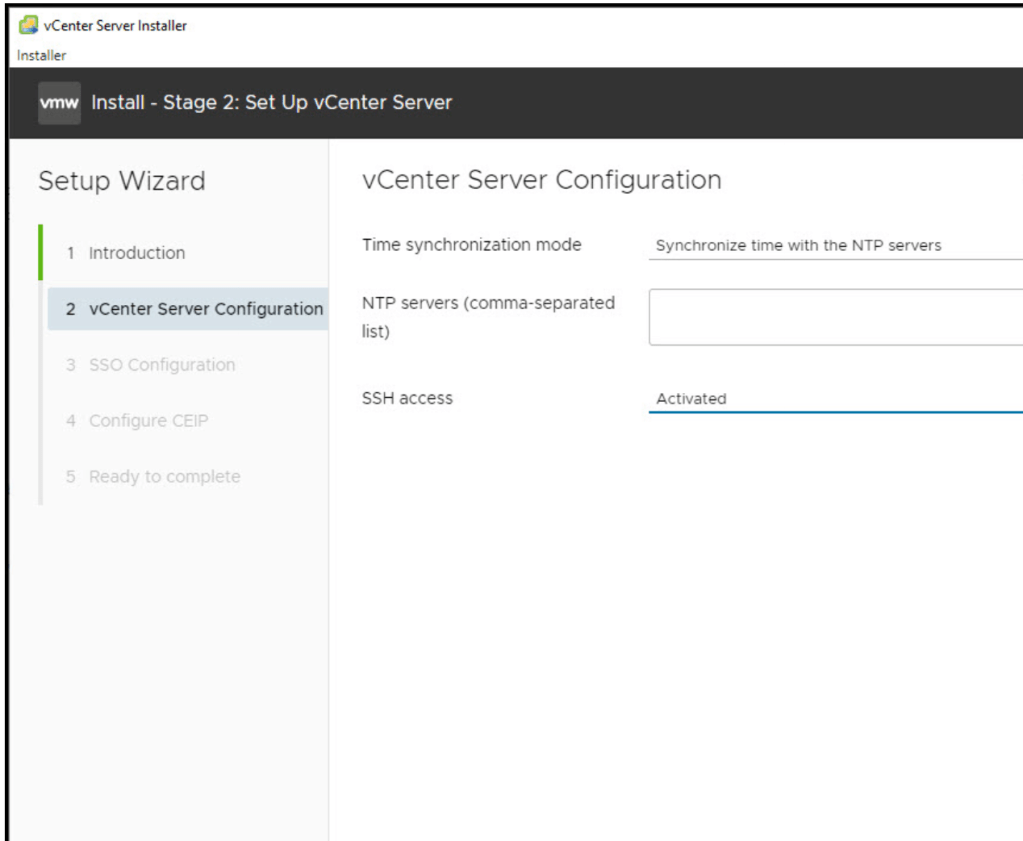
if you don`t have this, use “sync with esxi host”
The rest should be okay, and hopefully you have a functioning vcenter after some time.
My experience was that VMware has tightened the DNS settings from vcenter 8.01 -> 8.02 , so latest version 8.0u1c was easier than u2.
If you have a some failed attempts like i did, you need to clean up your vsan config on your target host:
Cleanup vSAN Configuration
- ssh to your ESXi host and do: esxcli vsan cluster leave.
- check the output of: esxcli vsan storage list and get the “VSAN Disk Group UUID”
- continue with: esxcli vsan storage remove -u <uuid from command above>
- Repeat on the second node.
- reboot node
If this does not work there are some excellent “small footprint” DNS servers like Bind and MaraDNS that you can install on a Linux server, like Ubuntu.
Be sure to do the setup before you import the vm into the zone without internet and DNS. This is because Bind , MAKE and MaraDNS are not default packages in the standard linux image, but some distros have a full/complete image, so unless you have a proxy possibility to do a “apt-get install Bind”, use that image instead.
Doing the config, export vm as *.ova, and import it to your dark site could be a solution.
A small windows server2022 with DNS services is also a possibility, just to have a standalone mgmt DNS service for VMware, and here you can configure everything from the CD.
 Bervid.net
Leave a comment