
With NSX we could use microsegmentation for the east-west traffic, and in a greenfield DC config, we could start with “zero trust” meaning all vms and ports are default deny or drop. Then you add rules opening up for the services you need, and this will get you only the ports necessary.
To do this in a brownfield, existing cluster means you cannot start with “Zero Trust”. Instead you start with adding tags, security groups, and security policies for specific applications, and these rules are not applied to the DFW, but to the security group. Within this group you create a deny all, and then you add new rules for the ports you need open. This way you only impact the vm`s in the group, and not everything else configured in the Distrubuted Firewall.
Then when all vm`s are configured in groups with correct port and rules, you can activate zero trust in the DFW and adjust the deny rule in the groups. This way you slowly migrate into a zero trust config.
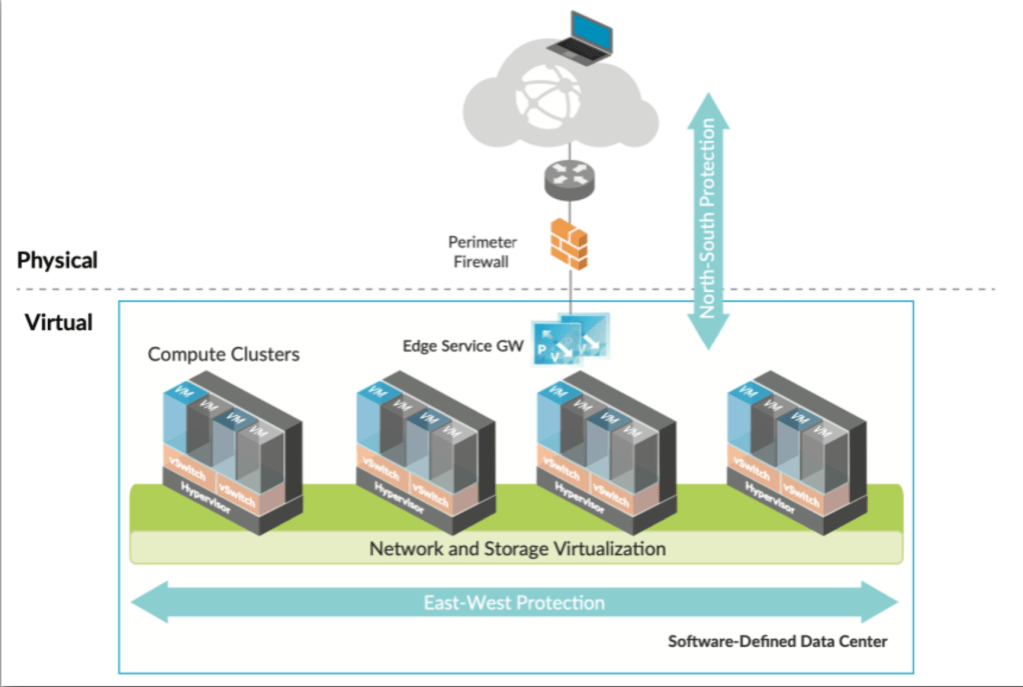
Terminology & definitions:
•Tags A virtual machine is not directly managed by NSX however, NSX allows the attachment of tags to a virtual machine. This tagging enables tag-based grouping of objects (e.g., you can apply a Tag called “AppServer” to all application servers).
•Security Groups Security Groups enable you to assign security policies, such as distributed firewall rules, to a group of objects, such as virtual machines. In addition to Tags, you can also create groups based on VM attributes such as VM Name, OS, IP, Ports, etc.
•Security Policies Each firewall rule contains policies that act as instructions that determine whether a packet should be allowed or blocked, which protocols it is allowed to use, which ports it is allowed to use, etc. Policies can be either stateful or stateless.
 Bervid.net
Leave a comment