
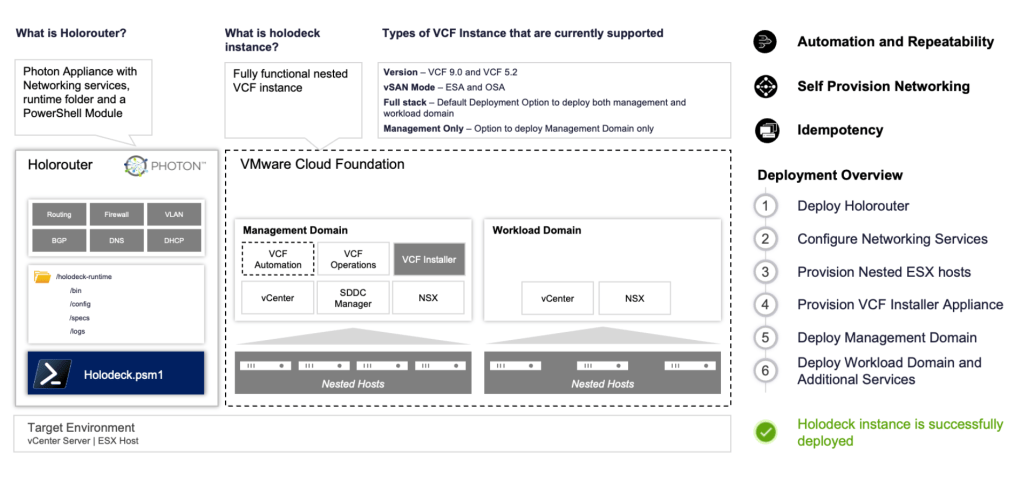
Finally there are some news about the transition from the core.vmware.com pages ,and Holodeck info is now here:
https://vmware.github.io/Holodeck/
Here you can find info about configuring either VCF5.2 or VCF9.
The components and prereq has changed a bit, and now you have a new Holorouter with a lot more functionality. The Holodeck guide describes this well and you basically deploy an OVA , same network prereq , but also an extra setting called webtop.

Webtop actually gives you a console in a browser on port:30000. Here you can do the tasks that you earlier did in the Holoconsole vm.
When deployed you need to copy 2 files into the holorouter, more specifically to the directory: holodeck-runtime/bin/9.0/
The 2 files are the SDDC manager ova and the esxi 9.0 iso.
Now you ssh to holorouter and start the config prep. first start powershell with the pwsh command.
Next is the config:
New-HoloDeckConfig -Description <Description> -TargetHost <Target vCenter/ESX IP/FQDN> -Username <username> -Password <password>
example:
New-HoloDeckConfig -Description “My VCF LAB” -TargetHost x.x.x.x -Username root -Password VMware123!
This will give you a config ID, and you are now ready for deploy, …or are you? Well, my experience was that i needed my download token from broadcom support page, as well as the offline depot vm. So i saved my token and deployed my offline depot vm.
Now i was ready, and lets just say it was a few steps back and forth before i got to this stage…… One step back was that the config would not accept my token or the depot if i chose the online depot. So to make a long process a bit more predictable, this was needed, in my opinion.
i then ran the New-HolodeckInstance command:
New-HoloDeckInstance -Version <String> [-InstanceID <String>] [-CIDR <String[]>] [-vSANMode <String>] [-WorkloadDomainType <String>] [-NsxEdgeClusterMgmtDomain] [-NsxEdgeClusterWkldDomain] [-DeployVcfAutomation] [-DeploySupervisor] [-LogLevel <String>] [-ProvisionOnly] [-Site <String>] [-DepotType <String>] [-DeveloperMode] [<CommonParameters>]
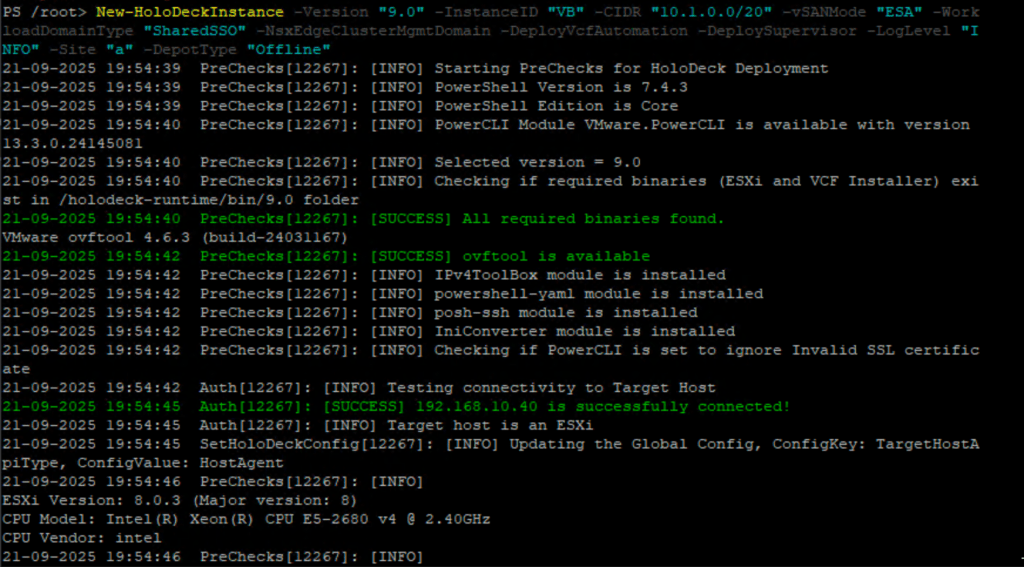
My version was:
New-HoloDeckInstance -Version “9.0” -InstanceID “VB” -CIDR “10.1.0.0/20 -vSANMode “ESA” -WorkloadDomainType “SharedSSO” -NsxEdgeClusterMgmtDomain -DeployVcfAutomation -DeploySupervisor -LogLevel “INFO” -Site “a” -DepotType “Offline”
There is a good explanation for all the values on the holodeck page, find the combination that fits your needs.
After script is started it needs a few inputs:
- the disk for HoloDeck
- The Network
- The token from broadcom support
- The info for the offline depot VM
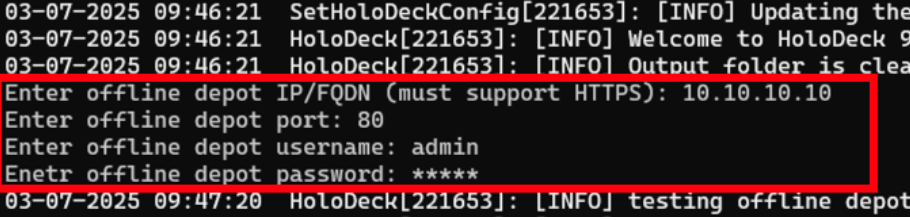
The script starts prepping the hosts, then the VCF installer.
After this it checks the Depot and downloads files if needed.
When this is ready you can open the desktop in browser: holorouterip:30000 and add 10.1.10.250 in firefox where you can follow the rest of the install process.
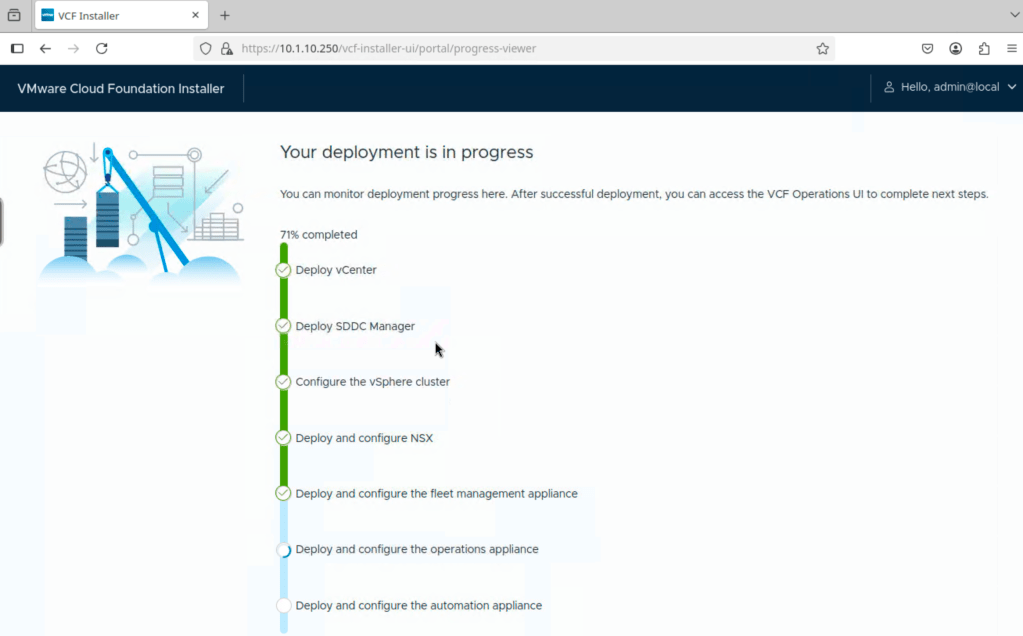
Hopefully it deploys successfully at this stage,and you have fully working VCF9 lab to play around with.
 Bervid.net
Leave a comment